 ctxmenu
Building it yourself
The toolchain, the two build commands, where the finished exe lands, and what the program costs at run time.
What you need
Rust 1.95 or newer, for the x86_64-pc-windows-msvc target.
The Visual Studio Build Tools with the C++ toolchain.
The Windows SDK. The build writes the icon and the version number into the
file resource, and that step calls rc.exe, which ships with the SDK and not
with the build tools.
Two commands
cargo build --release
cargo test
The suite is 536 tests. cargo clippy --all-targets -- -D warnings passes
with nothing left over, and CI runs the same check again.
Let the tests run in parallel
Run cargo test without --test-threads=1. CI calls it that way, and faults
between concurrent tests only show up then.
Where the file lands
The result is target\x86_64-pc-windows-msvc\release\ctxmenu.exe, not
target\release\ctxmenu.exe. The reason is .cargo\config.toml: it names
target = "x86_64-pc-windows-msvc" under [build], and cargo puts the
artefacts of an explicitly named target in their own directory.
That name is not decoration. The same file sets
-C target-feature=+crt-static for the target, which links the C runtime
into the binary. crt-static is not the default here. A plain release build
links VCRUNTIME140.dll plus the api-ms-win-crt-* forwarders, and that
breaks the promise of one .exe with nothing to install beside it.
With an explicit target, cargo builds the build scripts and proc-macro crates for the host without those flags. Without it, the flag would hit them too, and a proc-macro dylib cannot link against a static CRT. The build then fails outright.
The finished file therefore needs no Visual C++ Redistributable. That was checked on a freshly installed Windows 10 carrying no other software.
The handler DLL is built along the way
ctxmenu/build.rs calls cargo a second time and builds the ctxmenu-handler
crate as ctxmenu_handler.dll, always in release, into its own --target-dir
below OUT_DIR. The window then embeds that DLL with include_bytes! and
writes it to %LOCALAPPDATA% when you switch the Windows 11 entries on.
Two details in that inner build matter. It always uses the release profile, so
a debug build of the window still carries the optimised handler. And it clears
CARGO_TARGET_DIR first, because sharing the outer target directory deadlocks
on cargo's build lock.
A rerun-if-changed on the handler's sources keeps this off every build. As
long as those files are untouched, cargo skips the whole script.
When setup fails
| Symptom | Cause |
|---|---|
link.exe not found | The MSVC build tools are missing, or the installed architecture is the wrong one. |
rc.exe not found | The Windows SDK is missing. winresource calls rc.exe, and that comes from the SDK. |
| Path errors in deep directories | LongPathsEnabled is not set. |
| A black window, or no window at all | OpenGL is missing. This happens in remote sessions and in virtual machines. |
| A full build takes a very long time | Defender is scanning target\ along with everything else. |
cargo not found | The console was opened before rustup ran. Open a new one. |
Speed
These numbers were measured on the author's machine, four screens at 3840x2160. Your machine will give you its own.
| What was measured | Result |
|---|---|
| Process creation to the first visible list, with 927 real entries | 714 to 724 ms |
The same, the very first run of a freshly built .exe | 1113 to 1277 ms |
| Scrolling a table of 2000 rows | 16.7 ms per frame on average |
| The worst frame out of 300 | 18.5 ms |
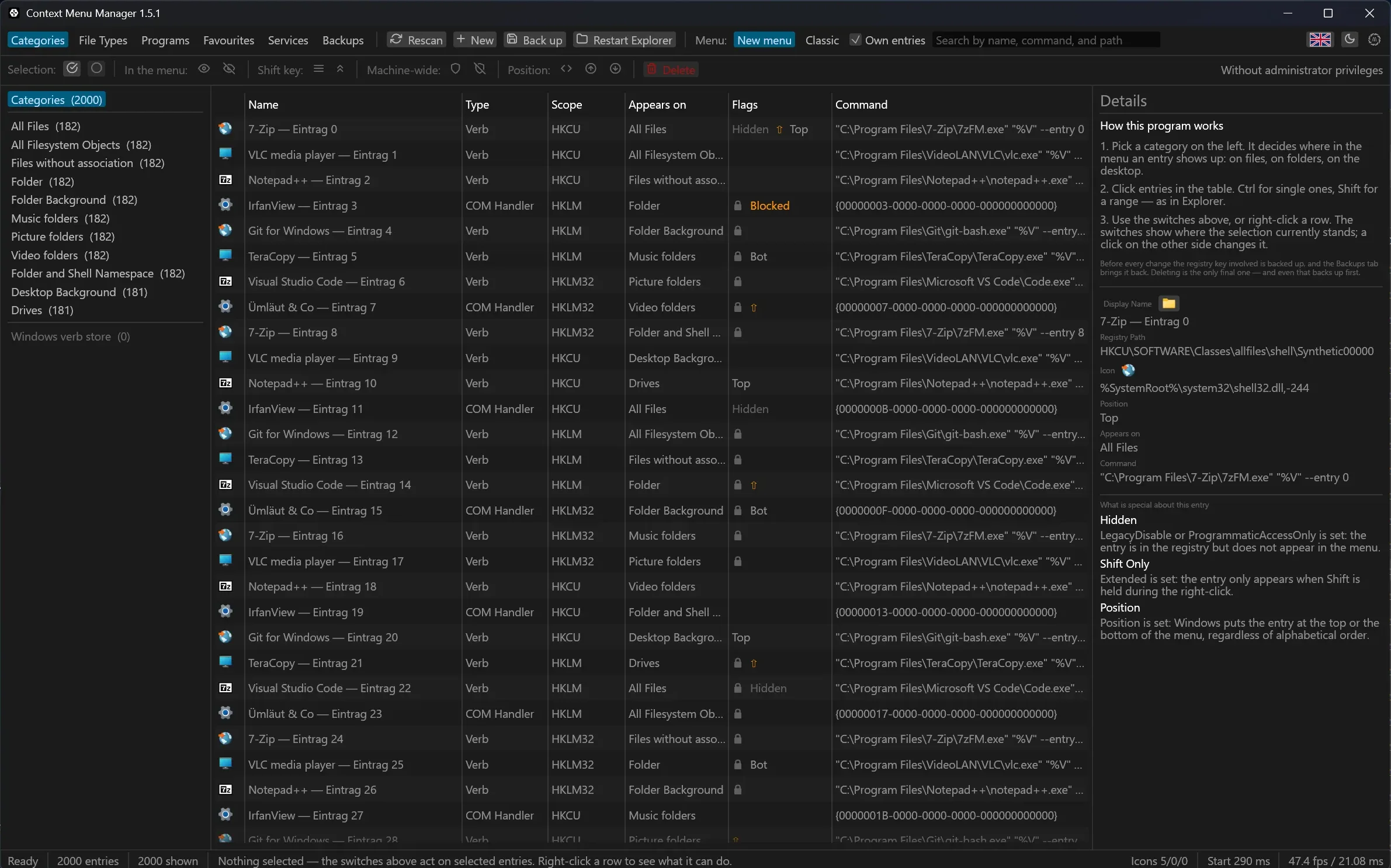
--synthetic 2000 fills the table with generated rows, so the list can be
judged without owning a machine that really carries that many.
--bench 300 measures the next 300 frames.
Last updated