 ctxmenu
Services
Two hundred menu entries from a single OpenAPI address.
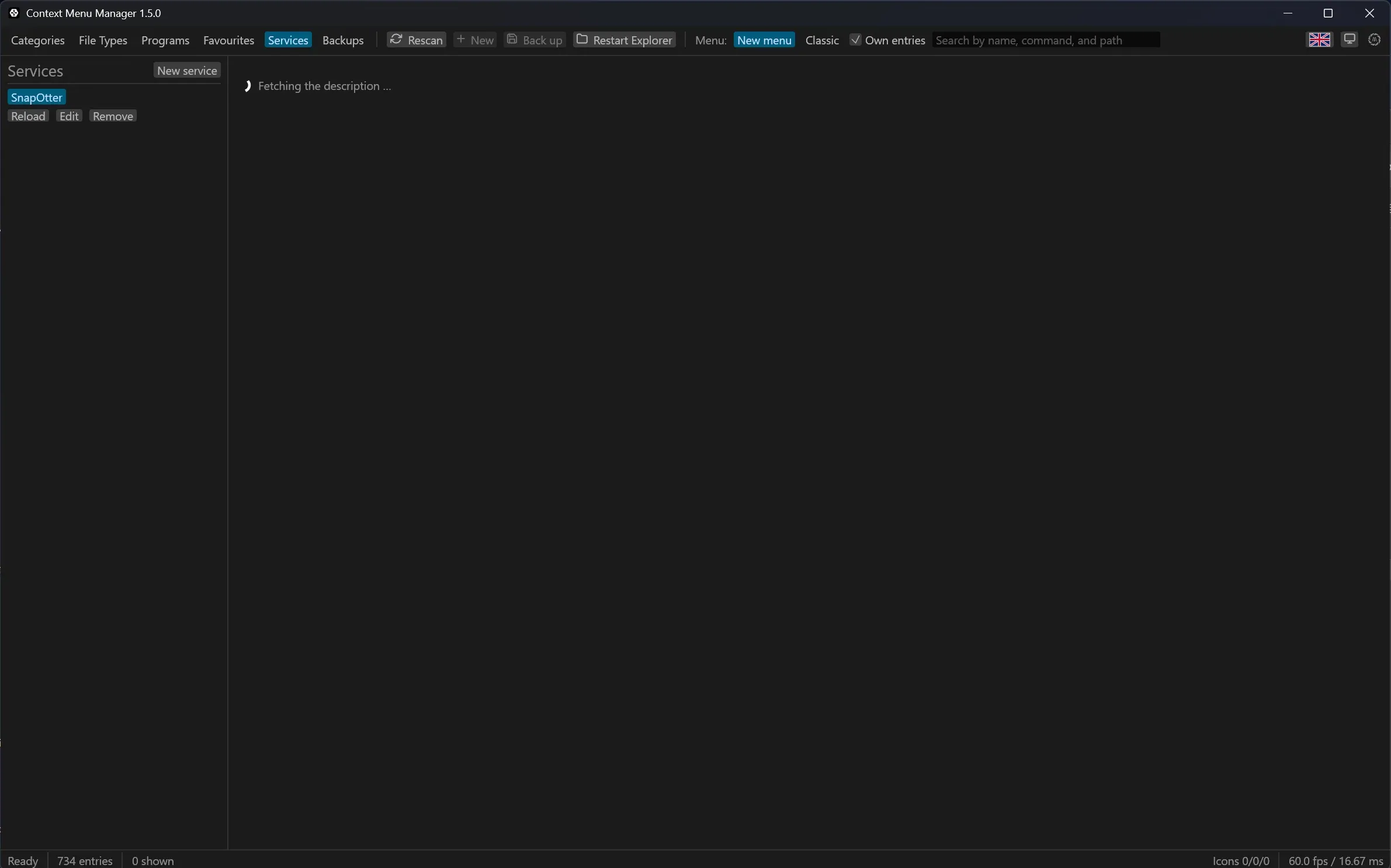
If a web application describes itself through OpenAPI, its documentation page is enough to start. Paste the address, and the program finds the machine-readable document behind it, reads which endpoints accept a file, and turns every one you tick into a menu entry.
The services already built in
Twenty-one services are built in, by group. Picking one from this list fills in every field but the key.
Share images

Imgur
Uploads an image and hands back its address

ImgBB
Uploads an image and hands back its address

Freeimage.host
Uploads an image and hands back its address
Share files


Edit images

remove.bg
Takes the background out of a photo

PhotoRoom
Takes the background out of a photo

Stability AI
Enlarges an image four times over

TinyPNG
Makes a PNG or JPEG smaller
Documents

Stirling-PDF
Shrinks a PDF, on a server of your own

Gotenberg
Turns an Office document into a PDF

Nutrient DWS
Turns a file into a PDF
Share text

paste.rs
Shares a text file and hands back its address

bpa.st
Shares a text file; the address is in the report
Development

Gitea
Attaches the file to an issue

Forgejo
Attaches the file to an issue

Zipline
Puts the file on a host of your own
Storage of your own

Nextcloud
Puts the file into your own Nextcloud

Bunny Storage
Puts the file into a storage zone

MinIO
Puts the file into an open bucket
Check a file

The list is a JSON file in the repository: adding a service is a pull request on a text file.
A service described by OpenAPI is the other kind: it brings in many tools at once rather than one. The technical detail for both is in Service formats.
The service the numbers come from

Every figure on this page was measured against SnapOtter, and the program ships a template for it: pick it in the services tab and only the host and the key are left to fill in.
SnapOtter is a self-hosted file processing platform, AGPL-3.0, run on your own machine so the files never leave the network. Its own site counted 243 tools on 21 August 2026 — 107 for images, 57 for video, 27 for audio, 29 for PDF and documents, 23 for files.
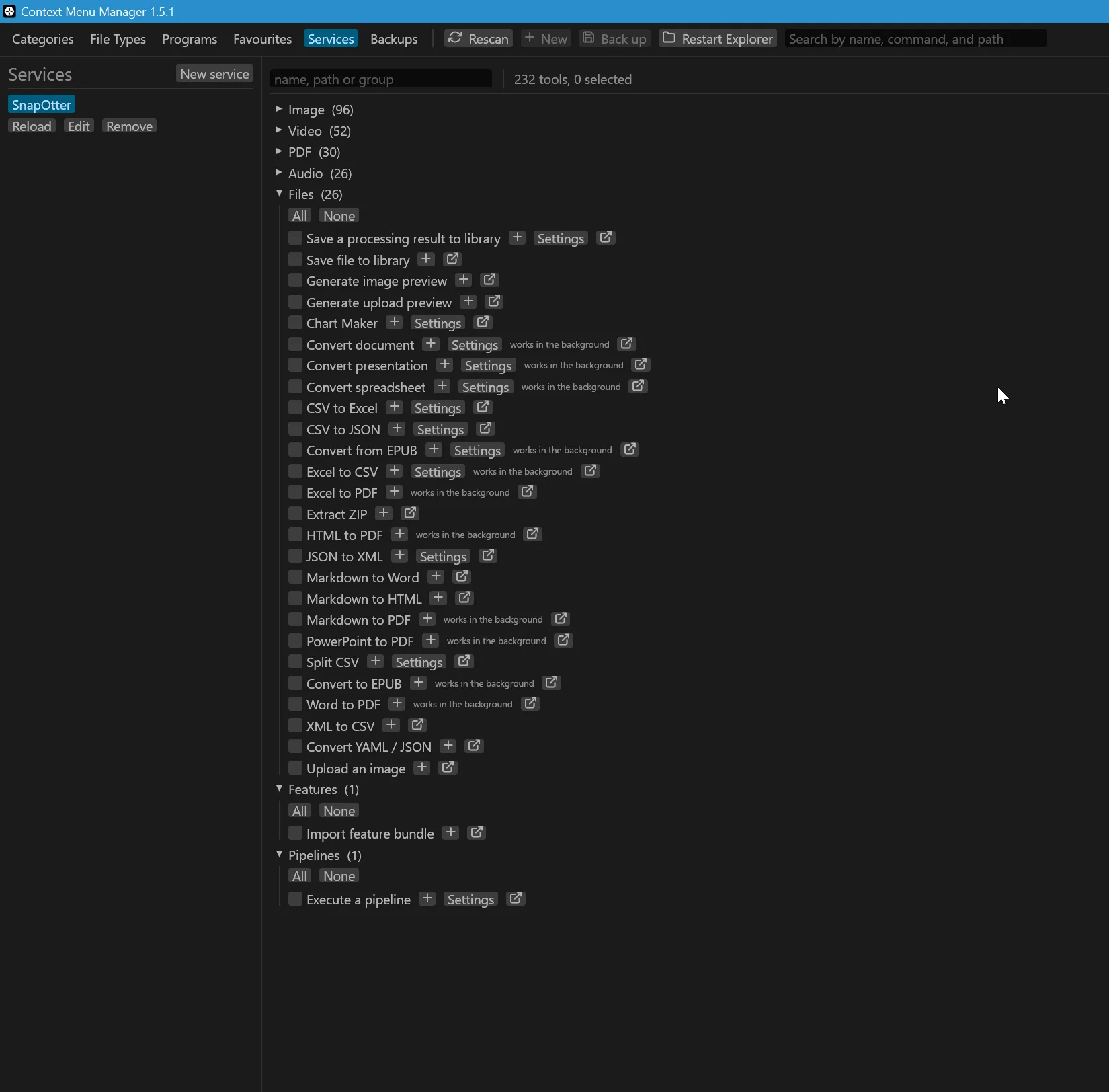
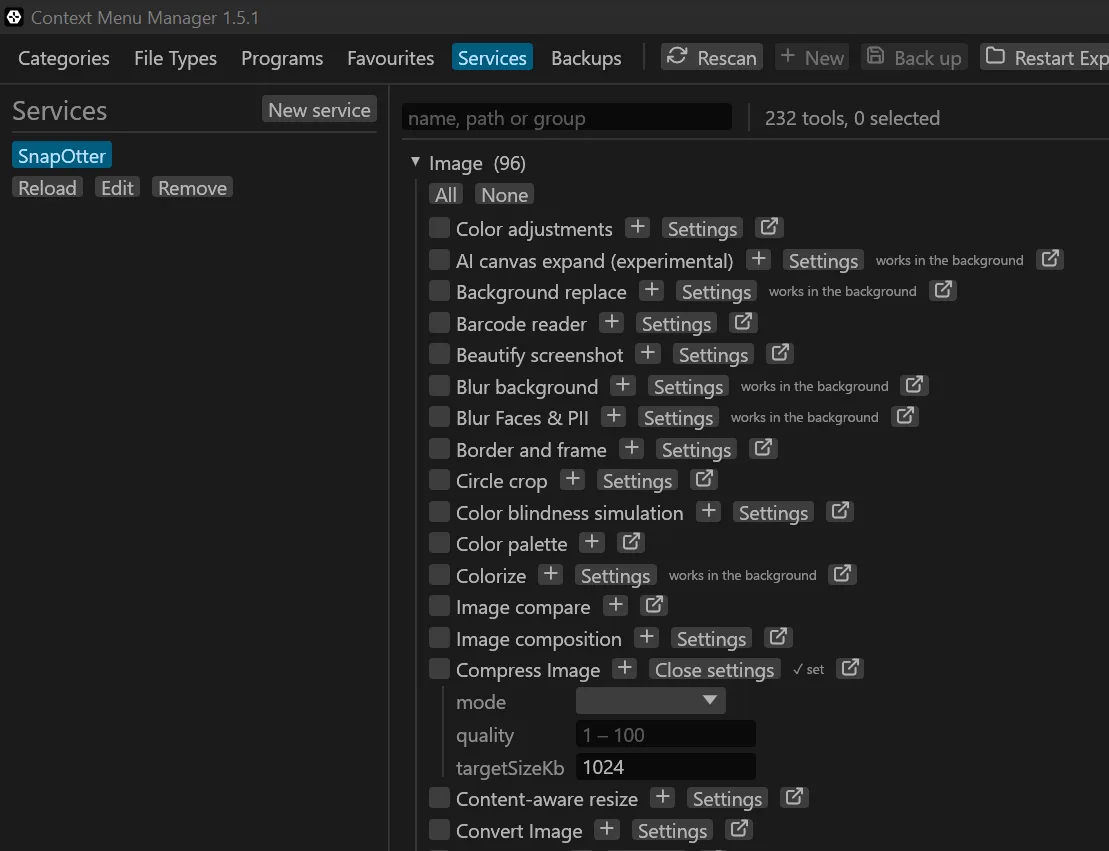
Of those, 232 arrive as menu entries, in seven groups:
| Group | Tools |
|---|---|
| Image | 96 |
| Video | 52 |
| 30 | |
| Audio | 26 |
| Files | 26 |
| Features | 1 |
| Pipelines | 1 |
Two things account for the difference between 243 and 232. An endpoint that takes no file cannot become a menu entry, so it is not offered. And the groups above are not the five the website advertises: they are measured from the service's own paths, which is why PDF stands on its own here and documents sit under Files.
Nothing about the program is tied to this service. Any description published as OpenAPI works the same way, and the empty template exists for exactly that.
From an address to a menu entry
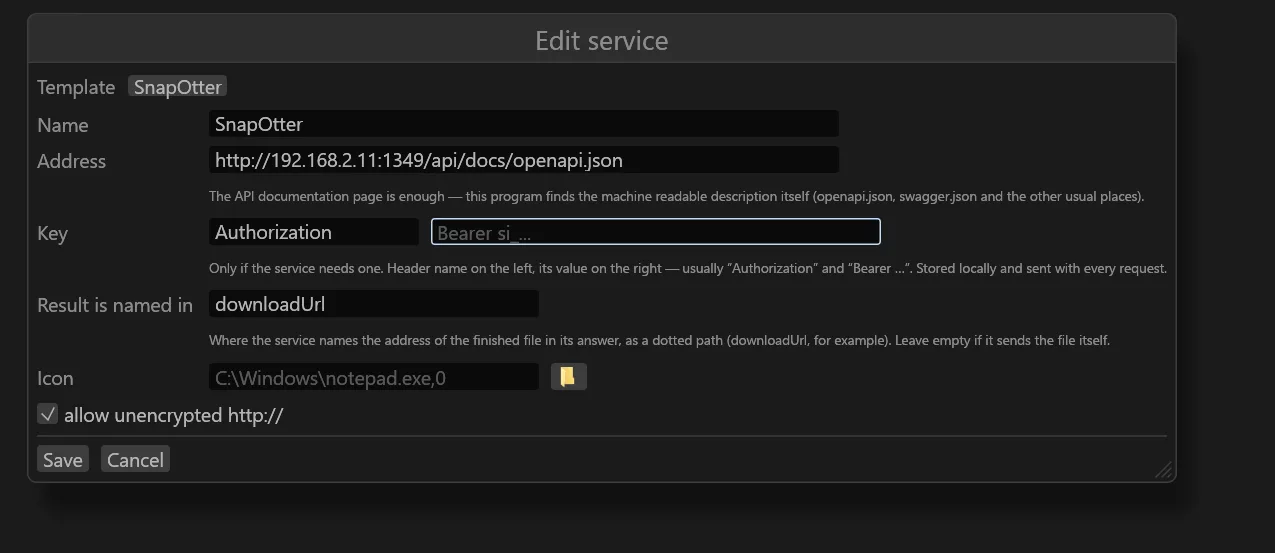
Add the service
Pick the template, paste the address of the documentation page, and add the key
if the service wants one. The key is stored locally and sent with every request.
Result is named in says where the service puts the address of the finished
file in its answer — for SnapOtter that is downloadUrl.
Read what came back
The tools arrive grouped and counted, and the search field above them reads names, paths and groups at once. A tool marked works in the background answers with a job number rather than a file; the program follows it either way.
Set the options you want fixed
Where an endpoint documents options, Settings opens them as a form. Whatever
is filled in here is fixed for that menu entry, so a compression entry can carry
its quality and its target size and ask nothing at run time.
Place it
+ puts the ticked tools in the menu — either as their own entries or gathered
in one submenu. From there a right-click sends the file and the answer comes
back as a notification.
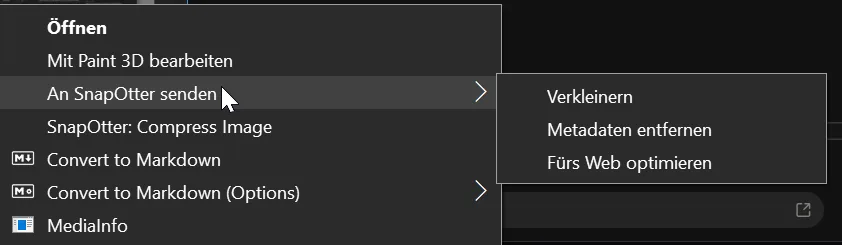
The menu above was taken on a German system: An SnapOtter senden is the submenu, holding Verkleinern, Metadaten entfernen and Fürs Web optimieren — resize, strip metadata, optimise for the web.
What happens to the address
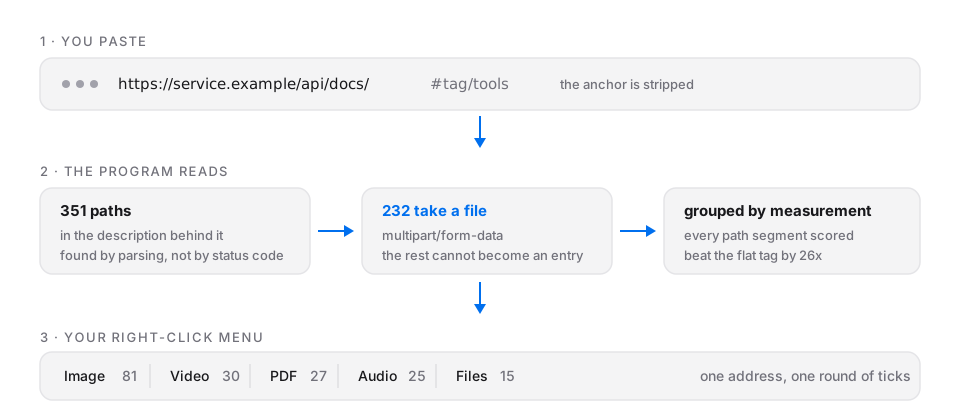
The document is found, not guessed
The address of a documentation page is not the address of the description. The
program tries the usual places behind it and decides by whether the answer
parses as a description, not by the HTTP status code — a server that answers
200 with an error page is common enough that the status alone proves nothing.
Only endpoints that take a file are offered
Of 351 paths on the test service, 232 accept a file as multipart/form-data.
The rest cannot become a menu entry, so they are not listed.
The grouping is measured, not taken on trust
An OpenAPI tag is often a single flat drawer holding everything. The program scores the tag against every path segment and picks whichever divides the tools best. On the test service that beat the tag by a factor of 26.
Options become a form
Where an endpoint documents its options, the program builds a form for them — including where the service describes them only in running prose. Of 227 such descriptions it produced 431 fields. Where the prose is not unambiguous, the field stays a text box with the description above it: a wrong field would send nonsense to a real service, while a missing one costs a checkbox.
Tools that answer with a job number
Some endpoints queue the work and answer with a job number instead of a file. Those are listed like any other and marked works in the background. The favourite made from one follows the job over the service's progress path and saves the finished file when it is done.
The declaration in the description does not decide this. The same endpoint on the test service answered directly and with a job number in turns, so the program looks at the real answer rather than the promise.
Why the program sends the file
A web page may not read a file off your disk — that is a browser rule, not an
oversight. So the menu entry does not open a page and hope. It sends the file
itself: as multipart/form-data, as a raw body, or by putting it on the
clipboard and opening the page ready to paste.
The result lands beside the original. The original is never overwritten.
Last updated