 ctxmenu
Editing the menu
Five levels from mild to severe, and the registry value each one writes.
The action bar offers five levels. They run from mild to severe, and each one names the registry mechanism behind it, so nothing here is a black box.
The five levels
| Level | What it does | What it writes |
|---|---|---|
| Hide | Takes the entry out of the menu | LegacyDisable on the key |
| Shift only | Shows it only with the Shift key held | Extended on the key |
| Position | Moves it to the top or the bottom | Position on the key |
| Block | Stops a COM handler machine-wide | The CLSID on the blocked list |
| Delete | Removes the key and everything under it | Nothing; the key is gone |
The first three are reversible with the same button that set them. Blocking is reversible by taking the CLSID off the list again. Delete is reversible only through the backup, which is why it sits behind a separator, in red, and is never abbreviated.
Elevation is asked for the step that needs it
An entry under HKLM needs administrator rights; one under HKCU does not. A
mixed selection asks once, and declining keeps the changes to your own hive
rather than abandoning the whole action.
Creating your own
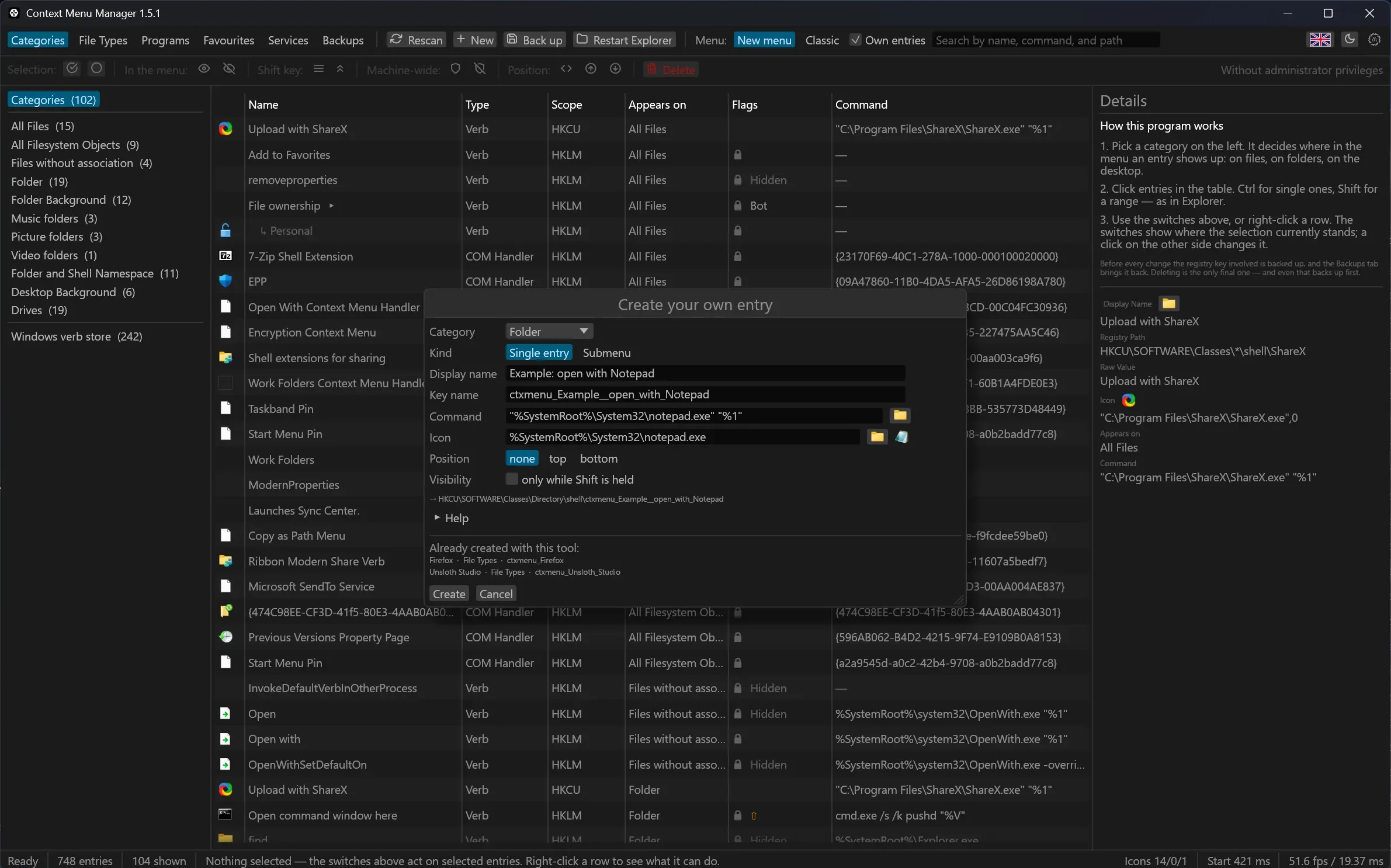
An entry needs a display name and a command. Everything else is optional: an icon, a position, whether it only appears with Shift.
The registry path the entry will land in stands under the form and follows what you type, so you can see where it goes before it goes there. The icon a reference resolves to is drawn beside the field, which means a wrong index shows itself before the entry exists.
Your own entries are always written to HKCU. That needs no administrator
rights and cannot affect another account on the machine.
Submenus
Instead of a command, an entry can hold children that fold out inside the menu. The order in the form is the order in the menu: Windows sorts registry keys alphabetically, so the program numbers the children as it writes them.
The order of everything else
Windows sorts subkeys alphabetically, and the only lever beside that is
Position. It is a free-text value rather than a choice of two: Top and
Bottom behave predictably, while Microsoft itself ships Last and After
with a PositionCompare GUID. There is nothing finer, which is why free
ordering by dragging is not offered — it could only be faked with numbered key
names, and the first program update that rewrites its own key would undo it.
Last updated