 ctxmenu
Features
The full list of what ctxmenu reads, changes and creates, and what it deliberately leaves alone.
This page is the reference list. Each item names the registry mechanism behind it, and the pages linked from here go into the ones that need more than a line.
What the scan covers
Eleven base categories, across three registry areas: HKCU, HKLM, and the
32-bit view under WOW6432Node.
| Category | Key | Right-click on |
|---|---|---|
| All files | * | any file |
| All filesystem objects | AllFilesystemObjects | files and folders |
| Unknown | Unknown | a file no program has claimed |
| Directory | Directory | a folder |
| Directory background | Directory\Background | empty space inside a folder |
| Music folder | SystemFileAssociations\Directory.Audio | a folder templated as music |
| Picture folder | SystemFileAssociations\Directory.Image | a folder of pictures |
| Video folder | SystemFileAssociations\Directory.Video | a folder of videos |
| Folder | Folder | folders and shell namespace objects such as ZIP archives |
| Desktop background | DesktopBackground | the desktop |
| Drive | Drive | a drive |
On the machine this was measured on, 2026-08-21, those eleven hold 142 entries. Resolve every file type as well and the scan reaches 938.
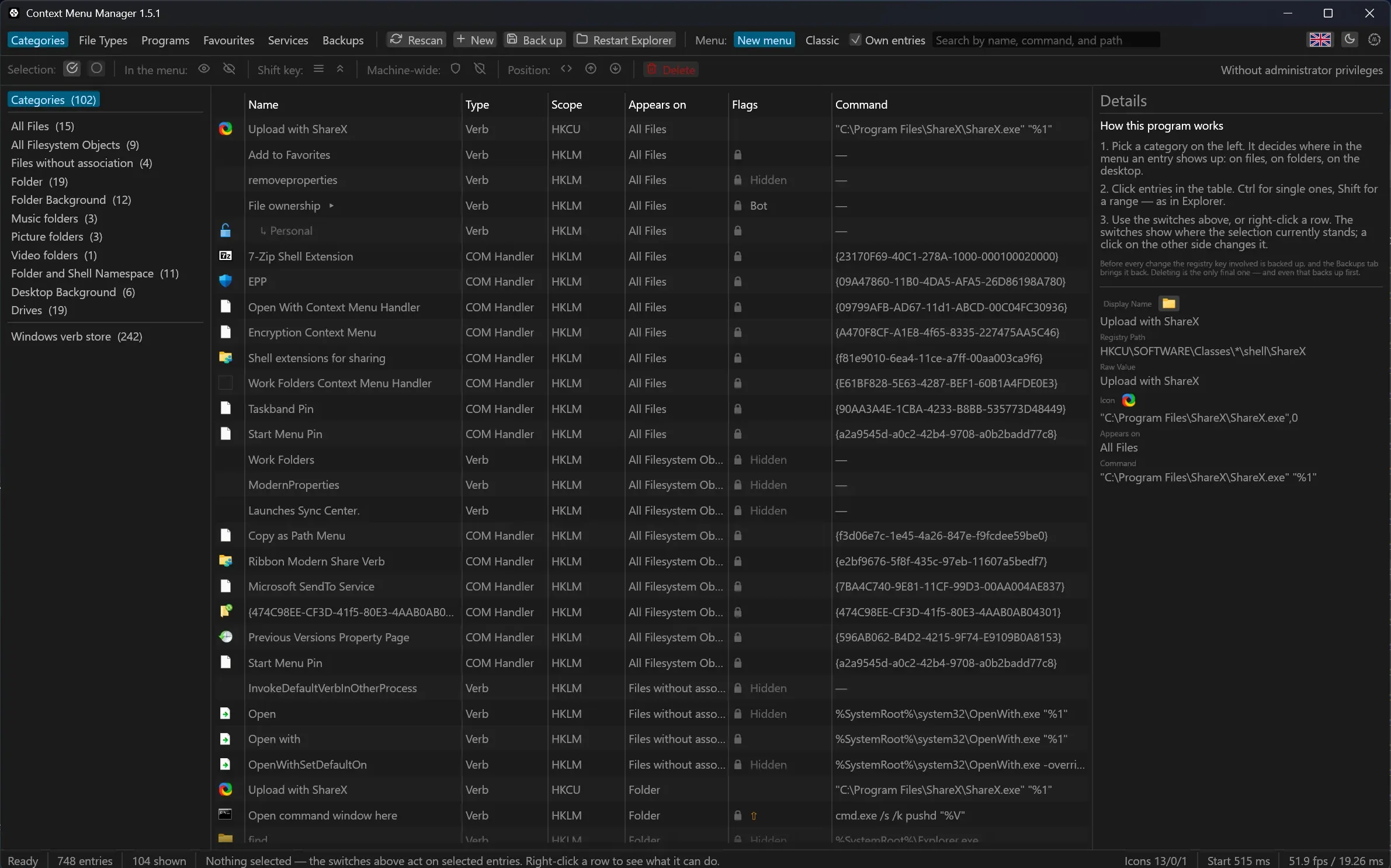
- Static verbs and COM handlers are listed apart, because they are different things. A verb is a registry key holding a command. A COM handler is a CLSID that a DLL implements.
- For a COM handler the table shows the key name, the plain-text name of the CLSID, and the path of the DLL behind it.
- Submenus appear with their children, indented under the entry they hang from.
- A double-click on a row, or Look at this entry in its context menu, opens the form with everything that stands in the registry.
- A padlock marks what cannot be changed without administrator rights.
- The search field covers display name, command and registry path. For a COM handler it covers the CLSID and the DLL as well, and a child of a submenu matches for the entry it hangs under. It works on Categories, File Types and Programs, even before anything is selected on the left.
Windows keeps a verb store of its own
CommandStore held 229 verbs on the machine this was measured on. None of
them appears in a menu until another entry names it in its SubCommands list.
ctxmenu lists them read-only, marked with a lock, so that a name found in such
a list can be looked up.
File types
For a single extension, the program walks the whole resolution chain rather than reading one key. Seven levels:
| Level | Where it reads |
|---|---|
| 1 | *, every file |
| 2 | AllFilesystemObjects |
| 3 | SystemFileAssociations for the perceived type |
| 4 | SystemFileAssociations for the extension itself |
| 5 | the ProgID the user chose, under FileExts\<ext>\UserChoice |
| 6 | .<ext>\shell, rare but it exists |
| 7 | the further ProgIDs listed in OpenWithProgids |
That is what the right-click actually shows, not what is registered at one
single spot. For .jpg it comes to just under sixty entries, two thirds of
which apply to every file. Those two thirds are identical for every extension,
so the tab leaves them out until Include entries for all files asks for
them.
- The tab offers a curated selection of 98 types.
- A field above the tree takes any further extension, and keeps it.
- All installed swaps the 98 for every type registered on the machine: 1739 of them on the machine this was measured on. Reading them in takes correspondingly longer.
Programs
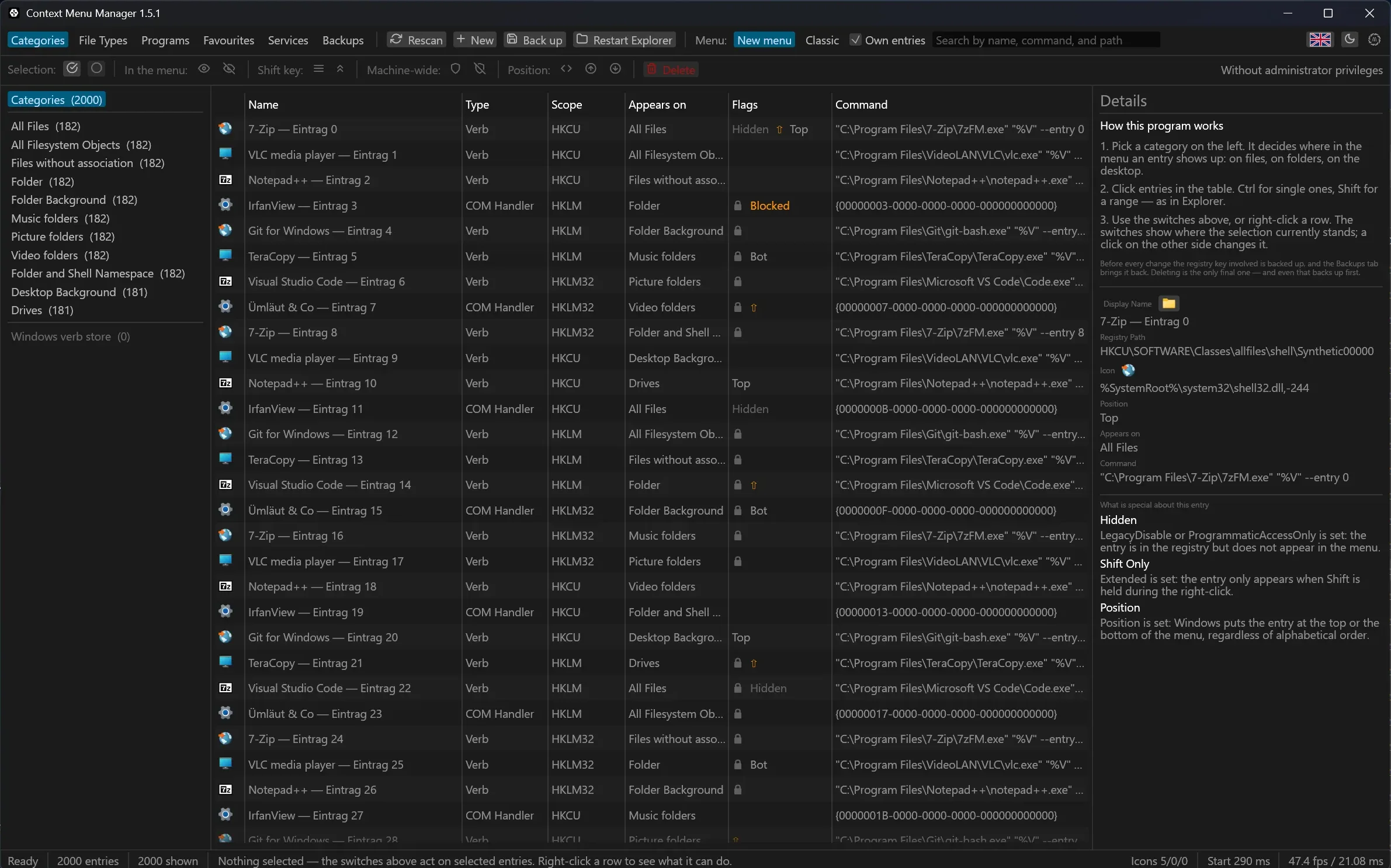
- A program registered in twenty file types appears as one group holding every occurrence, with its icon in front.
- The name comes from the version resource of the
.exe, not from the key name. - An entry pointing at a program that no longer exists shows in red. This happens mostly after updates to Store apps, whose folder carries the version number in its name.
- One click moves a program that keeps showing up into the favourites list.
Changing an entry
Five levels, from mild to severe. Editing the menu has the table of what each one writes.
- Hide writes
LegacyDisable. - Shift only writes
Extended. - Position writes
Position,ToporBottom. - Block puts the CLSID of a COM handler on the blocked list, machine-wide.
- Delete removes the key and everything under it.
The first three are undone with the same button that set them. Delete is undone only through the backup.
Creating an entry
- Display name, command, icon, position, and whether it appears only with the Shift key.
- For a base category, for a single extension, or for a whole kind of file.
- The browse buttons beside the command and icon fields open the ordinary Windows file dialog and quote what comes back.
- The icon a reference resolves to is drawn beside the field, so a wrong index shows before the entry does.
- The registry path the entry will land in stands under the form and follows what you type.
- A folded Help carries the placeholder table and three working command lines.
- Everything you create goes to
HKCU: no administrator rights, no effect on other accounts.
As a submenu. Instead of a command, the entry holds a list of children that folds out inside the menu. The order in the form is the order in the menu, because Windows sorts registry keys alphabetically and the program numbers the children as it writes them.
By drag and drop. Drop an .exe into the window and the editor opens
filled in from it: name, command with the right placeholder, the program's own
icon. The category you drop it on decides which one the form starts in.
Nothing is written until you press the button in the form. Inside the editor,
the command and icon fields take a dropped file too.
Favourites and services
- A favourite is entered once and stays. From there, one click places it in any category or on a single file type.
- A favourite does not have to be an
.exe. An address is enough. - A web page may not read a file off your disk, so a web tool gets the file sent to it instead. Favourites has the three ways that happens, and what the program refuses to do.
- Services reads a web application's OpenAPI description and turns the endpoints that accept a file into favourites, grouped the way the service groups them. Where a tool takes options, the program generates a form for them.
Backups
Every action takes a backup first, and a group action takes exactly one for the whole group. Backups and restore explains why a change cannot happen without one.
- The Back up button in the top bar makes one on demand and changes nothing else. It covers the selected rows, or everything currently listed when nothing is selected.
- The Backups tab shows the history and plays it back.
- Back Up Everything takes along every location the program touches at all. On the machine this was measured on that is 1.2 MB, in under a second.
The window itself
- German and English, light and dark, or Follow system. All of it without a restart, and the title bar follows along.
- One request to GitHub as the window opens, and a dot on the logo button when something newer exists. Fetching it takes a second click, and only runs when the release signature and the published checksum both check out. The request can be switched off in the About window.
What it deliberately cannot do
Each of these is a limit of Windows rather than a feature left unwritten.
Change the text of a COM handler. Windows generates that text at run time
in IContextMenu::QueryContextMenu, and it appears nowhere in the registry.
What ctxmenu shows instead is the key name, the plain-text name of the CLSID,
and the DLL behind it.
Order the new Windows 11 menu. Its entries are listed, hidden and created like the classic ones, but where each one sits up there is Explorer's decision. Neither the manifest nor the registry moves it. Sorting stays a capability of the classic menu. See the Windows 11 menu.
Reach the commands Explorer builds into that menu itself. "Send to my phone" and its kin carry no registration at all: no package manifest, no COM registration, no verb. Measured on Windows 11 build 26200. What has no registration cannot be listed, and cannot be hidden through the blocked list either. Those switches live in Windows Settings.
Determine the order freely. Windows sorts subkeys alphabetically. The one
lever beside that is Position, and it is a free-text value rather than a
choice of two. Top and Bottom behave predictably, while Microsoft itself
ships Last and After with a PositionCompare GUID. The system offers
nothing finer. Submenus the program writes itself are the exception, because
it numbers their children as it writes them.
Edit a scanned entry. The form shows everything that stands in the registry, but it does not write anything back yet. Entries you created yourself are not affected by this.
Last updated